
Download Save Image In Folder – save images, download images, Firefox add-on, image organizer, quick save, double-click save, image storage, web image download
Overview
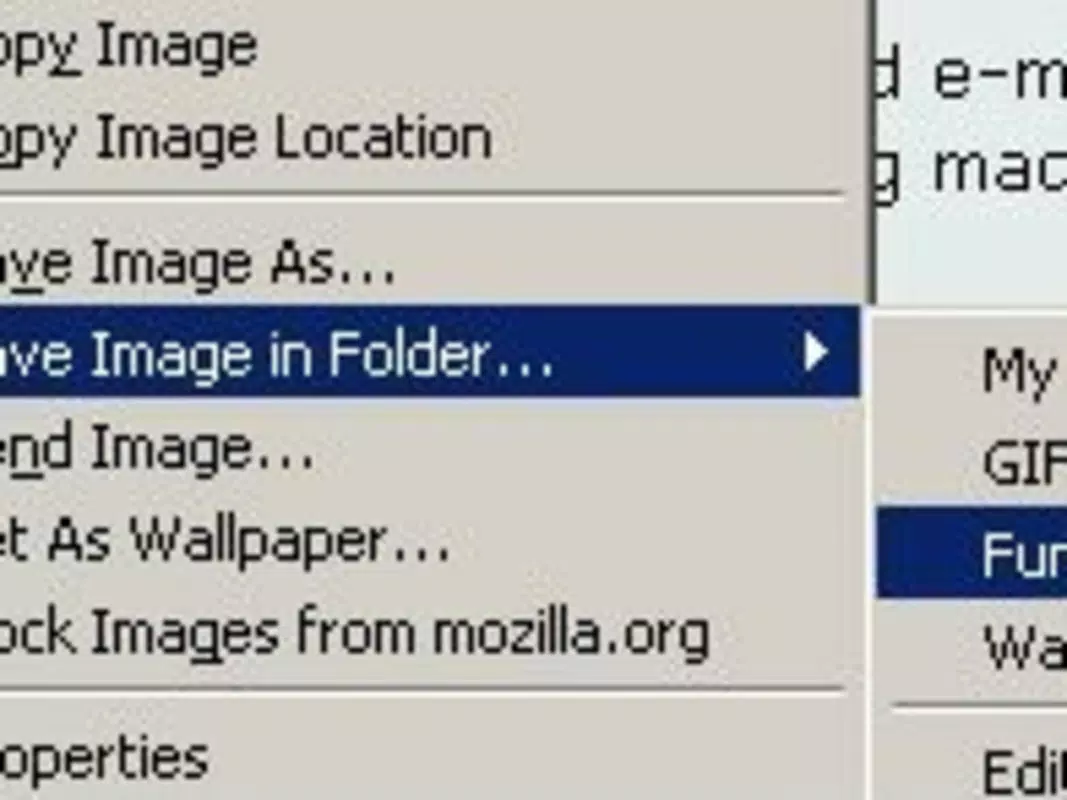
Save Image In Folder is a specialized Firefox add-on designed to streamline the process of downloading images from the web. Its primary purpose is to reduce the manual effort involved in saving images by enabling users to do so with a simple double-click. This functionality addresses a common pain point for individuals who frequently collect visual content from online sources, such as researchers, designers, content curators, and hobbyists. By automating the download and organization process, the tool enhances productivity and minimizes workflow interruptions.
Target users include anyone who regularly downloads images from websites and values efficient, customizable file management. The add-on integrates directly into the Firefox browser environment, making it a lightweight yet powerful utility for users who prioritize speed and control. Although the developer, Ryan J. Boudreaux, is credited with its creation, no additional background information about the individual or their other projects is available.
Real-world use cases include organizing reference materials for design projects, compiling visual research for academic work, or gathering inspiration for creative endeavors. In the broader app ecosystem, Save Image In Folder fills a niche for browser-based productivity tools, offering a focused solution without unnecessary bloat. Its long-standing presence since 2009 highlights its enduring relevance in a market increasingly saturated with complex applications.
Key Features & Functionality
- Quick Image Saving: The core function allows users to save any displayed image with a double-click, eliminating the need to right-click and navigate through menus. This is particularly useful when downloading multiple images in rapid succession.
- Custom Storage Profiles: Users can define multiple profiles to control image format, naming conventions, dimensions, and destination folders. This ensures that downloads are automatically sorted based on user-defined rules, reducing post-download manual organization.
- Single Configuration Setup: Once the preferred settings are saved, the add-on operates without requiring further adjustments. This persistent configuration enhances usability and reduces friction during repeated use.
- Enhanced Usability: The interface is designed to integrate seamlessly with Firefox, maintaining a low profile while delivering consistent performance. It avoids disrupting the browsing experience, making it ideal for long sessions involving frequent image downloads.
For example, a graphic designer might set up a profile to save all downloaded images as high-resolution JPEGs in a dedicated “Inspiration” folder with filenames based on the website domain and date. Another user could create a separate profile for saving thumbnails in PNG format to a “Research” folder with sequential numbering. These real-world applications demonstrate how the tool adapts to diverse workflows.
Interface, UX & Performance
Save Image In Folder features a minimalistic interface that operates entirely within the Firefox browser environment. There is no standalone window or complex dashboard—users interact with the tool through browser integration, which contributes to its lightweight nature. The visual style aligns with Firefox’s design language, ensuring consistency and reducing cognitive load.
Navigating the add-on’s functionality requires no onboarding or tutorials. The double-click mechanism is intuitive and immediate, requiring no additional steps once enabled. The user experience is optimized for efficiency, focusing on speed and simplicity rather than visual flair.
Although the developer did not list formal performance metrics, the add-on’s small file size of 40.8 KB suggests a low resource footprint. It is expected to function smoothly across a range of devices, from older systems to modern machines. Responsiveness is likely consistent, given its direct integration with the browser engine. Stability appears reliable, especially considering its over 15-year track record without reported major issues.
Platform Compatibility & Technical Requirements
Save Image In Folder is designed exclusively as a Firefox add-on, meaning it is compatible only with the Mozilla Firefox web browser. The current version is 2.2.0, and the file size is 40.8 KB, indicating a lightweight installation. The developer did not specify minimum OS requirements or version compatibility beyond the Firefox platform.
Compatibility information was not fully disclosed, so users should ensure their Firefox version supports legacy add-ons. The add-on may not be available on all Firefox variants, such as Firefox for mobile or Firefox Focus, as no mobile or alternative platform support was mentioned. The lack of explicit technical details means users should verify functionality in their specific browser environment.
Pros and Cons
Pros
- Simple, double-click-based image saving reduces time and effort.
- Custom storage profiles allow for automated, rule-based organization.
- One-time setup ensures hassle-free use over time.
- Lightweight design with minimal impact on browser performance.
- Long-standing reliability since its initial release in 2009.
Cons
- Exclusive to Firefox; no support for other browsers or platforms.
- No mobile or tablet compatibility confirmed.
- Interface is minimal and may lack advanced customization options.
- Developer did not provide detailed technical specifications or system requirements.
- Updates may be infrequent due to the tool’s mature and stable state.
FAQ
Is Save Image In Folder safe to install?
Yes, the add-on is free and available from the official Firefox Add-ons repository. It does not require elevated permissions and operates within browser security boundaries.
Can I use this add-on on mobile devices?
There is no confirmed support for mobile browsers. The tool is designed specifically for desktop Firefox and may not function on Firefox for Android or iOS.
Does the add-on support batch downloads?
While the tool enables quick saving of individual images via double-click, there is no explicit feature for batch downloading. Users must save images one at a time.
How do I update Save Image In Folder?
Updates are automatically managed through the Firefox Add-ons manager. Users should ensure their browser is set to update extensions automatically.
Is the add-on free to use?
Yes, Save Image In Folder is completely free and does not require a subscription or in-app purchases.
Final Thoughts
Save Image In Folder remains a reliable, no-frills solution for users who need to download and organize images quickly from the web. Its ability to simplify a repetitive task through a double-click mechanism and customizable profiles makes it a valuable tool for productivity-focused individuals. While it lacks modern features like batch processing or cross-browser support, its core functionality is well-executed and efficient.
For anyone using Firefox regularly and collecting visual content, this add-on delivers consistent value without complexity. Its lightweight design and proven track record make it a secure and dependable choice. Despite its age, it continues to serve its purpose effectively in a niche but important space.
Download Save Image In Folder now


